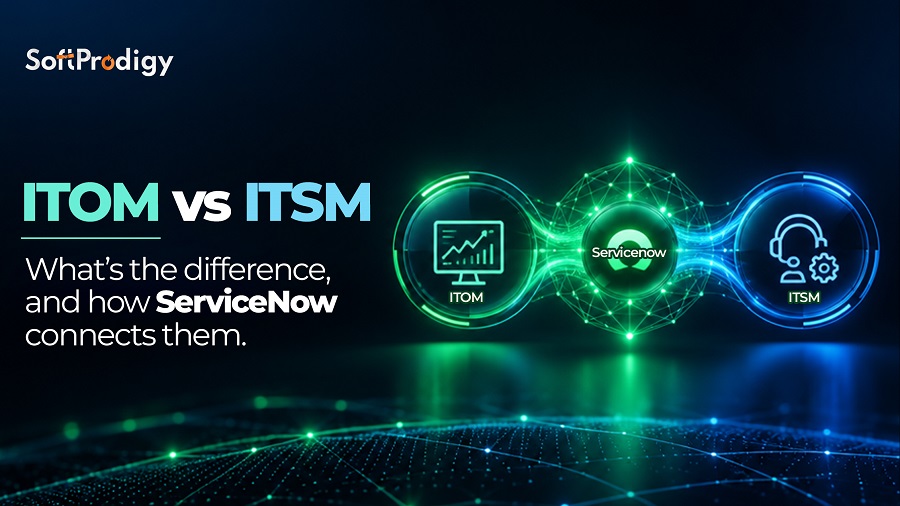
ITOM vs ITSM comes down to what each one manages. IT Service Management (ITSM) manages how IT delivers services to people, through incidents, requests, changes and problems. IT Operations Management (ITOM) manages the infrastructure behind those services, through discovery, monitoring, event management and automation. ITSM faces the user. ITOM faces the systems. On ServiceNow, both share one CMDB.
Here’s a scene we see often. The service desk has 40 tickets saying “the portal is slow.” The operations team has 300 alerts from five monitoring tools. Nobody knows which server caused it.
Two teams, one outage, no shared view. This guide shows how to fix that.
What Is ITSM (IT Service Management)?
ITSM is how IT delivers and supports services for employees and customers. It answers one question: how does a person get help from IT, and how fast?
Most ITSM programs follow ITIL 4, the framework now owned by PeopleCert. The main users are service desk agents, change managers and service owners. The data comes from people: tickets, forms, emails and chats.
Core ITSM processes:
- Incident management: restores service after an outage
- Problem management: removes the root cause of repeat incidents
- Change management: approves and schedules changes safely
- Request fulfilment: handles laptops, access and password resets
- Knowledge management: stores fixes so nobody solves the same issue twice
- Service catalog and SLAs: shows what IT offers and how fast it delivers
ITSM is strong on accountability. Every ticket has an owner and a clock. But a ticket only knows what a person typed. It can’t see inside the infrastructure.
Related Read: Before You Scale, ServiceNow AI Fix the Foundation
What Is ITOM (IT Operations Management)?
ITOM is how IT discovers, monitors and controls the systems that services run on. It answers a different question: what do we have, how is it connected, and is it healthy?
ITOM covers servers, networks, databases, cloud accounts and certificates. NOC engineers, cloud teams and SREs use it daily. The data comes from machines: scans, metrics, logs and events.
Core ITOM functions:
- Discovery: finds every device and cloud resource, then records it in the CMDB as a configuration item (CI)
- Service mapping: links those CIs to business services like “Online Payments”
- Event management: groups and filters alerts from monitoring tools
- Monitoring and observability: spots anomalies before users notice
- Cloud management: controls provisioning, tagging and spend
Picture a TLS certificate expiring on a Sunday. No user has complained yet. ITOM should have flagged it a month ago.

ITOM vs ITSM: What Are the Key Differences?
The core difference is direction. ITSM starts with a person reporting a problem. ITOM starts with a system sending a signal.
The trigger row matters most. When ITSM runs alone, IT hears about outages from users. Your customer felt the problem first.
When ITOM feeds ITSM, the system often raises the incident before anyone calls. That’s the real gain.
One quick correction to a common myth: ITOM is not a technical add-on to ITSM. They are separate disciplines that need each other’s data.
ITSM and ITOM Modules in ServiceNow
ServiceNow runs both on one platform, the ServiceNow AI Platform. So every module shares the same CMDB and workflows.
ServiceNow ITSM modules:
- Incident, Problem and Change Management
- Request Management and Service Catalog
- Knowledge Management and Employee Center
- AI add-ons: Predictive Intelligence, Virtual Agent and Now Assist
ServiceNow ITOM modules:
- ITOM Visibility: Discovery, Service Mapping, Service Graph Connectors and Certificate Management
- ITOM AIOps: Event Management and Metric Intelligence, plus Health Log Analytics
- ITOM Optimization: cloud provisioning and cost visibility
Package names change between releases. Check the current bundle with your ServiceNow account team before you plan licensing.
Popular ITSM and ITOM Tools
When teams compare tools, they usually find two groups:
- ITSM platforms: ServiceNow ITSM, Jira Service Management, BMC Helix, Freshservice
- ITOM and monitoring tools: Datadog, Dynatrace, Splunk, New Relic, BigPanda
Each tool works fine alone. The trouble starts when you run six of them and none share data. In our projects, we often find three inventories that disagree on how many servers exist.
ServiceNow doesn’t replace your monitoring tools. It sits above them, pulls in their alerts and data, and ties everything to one CI record.

How Does ServiceNow Connect ITOM and ITSM?
ServiceNow connects ITOM and ITSM through the CMDB. ITOM keeps the CMDB accurate. ITSM uses that data to route and fix issues faster.
Here’s one outage, start to finish:
- Discovery fills the CMDB with servers, databases and cloud resources.
- Service Mapping links them to the “Online Payments” service.
- At 2:07 a.m., Metric Intelligence spots slow response times on the database. Event Management merges dozens of related alerts into one.
- An incident opens automatically, already tagged with the affected service and priority. The on-call engineer gets context, not noise.
- Change Management scores the risk of the fix using CI relationships.
- Problem Management records the root cause so it doesn’t happen again.
Nobody re-types data. Nobody argues about ownership. The NOC engineer and the service desk agent look at the same record.
That’s what ServiceNow ITOM vs ITSM looks like when the two run together. AIOps makes it work at scale by cutting alert noise. Just measure your MTTD and MTTR before go-live, so you can prove the gain.
Do You Need ITSM, ITOM or Both?
For most companies, ITSM vs ITOM is not an either-or choice. You’ll need both, just not on day one.
- Requests arrive by email with no tracking? Start with ITSM.
- Changes keep causing outages? Add Discovery to Change Management.
- Drowning in alerts? Start with ITOM Event Management.
- Nobody knows what depends on what? Start with Discovery and Service Mapping.
- Strong ITSM, but slow fixes? Feed ITOM AIOps into ITSM.
Small teams should get ITSM basics right first. Growing teams with several hundred servers or multiple clouds should bring in Discovery early. Large hybrid estates need the full loop.
Common Mistakes to Avoid
Most ITOM vs ITSM projects fail on data and ownership, not technology. Watch for these five:
- Loading the CMDB once and forgetting it. Schedule Discovery and name a data owner.
- Turning every alert into a ticket. Filter in Event Management first.
- Skipping service mapping. Map your top five to ten critical services first.
- Over-customizing. Heavy scripting makes every upgrade painful. Stay close to out-of-the-box.
- No shared owner. Appoint one platform owner across both teams.
Final Takeaway
The ITOM vs ITSM question isn’t about choosing one. ITSM helps people get support and keeps changes under control. ITOM shows you the systems behind every service.
Run them apart, and your teams chase the same outage from opposite ends. Run them together on one CMDB, and alerts become incidents with context, and fixes stay fixed.